A shopping list app: say it once and it is on the list.
The thing you run out of always comes to mind at the wrong moment. With this grocery shopping list app, speak it the second you notice — milk, batteries, a birthday gift — and it’s waiting, sorted, when you reach the shops.
Lavender — lavender, plum and blush. A warmer, tinted set. Reach for it when navy feels too formal. One of six themes, all free.
The pain
You remembered the milk at the fridge. And forgot it at the shop.
The gap between noticing and needing is the whole problem. The moment you run out is never the moment you’re buying — and whatever held the thought in between had one job.
“I stood in aisle three trying to remember what we were out of.”
“I knew the moment I opened the fridge. I forgot it by the car.”
“There were three lists and none of them were the right one.”
“I came home with everything except the thing I went for.”
What makes a good grocery shopping list app?
It has to be faster than forgetting. The moment you notice you’re out is never the moment you’re buying, so adding to the list has to take a second, wherever you are. Then the list has to be on your phone at the shop, with ticks.
That is the whole job. The first half — catching it in the moment — is where shopping lists usually fail, and it is the half a voice solves.
The answer
From “we’re out” to on the list, in one sentence.
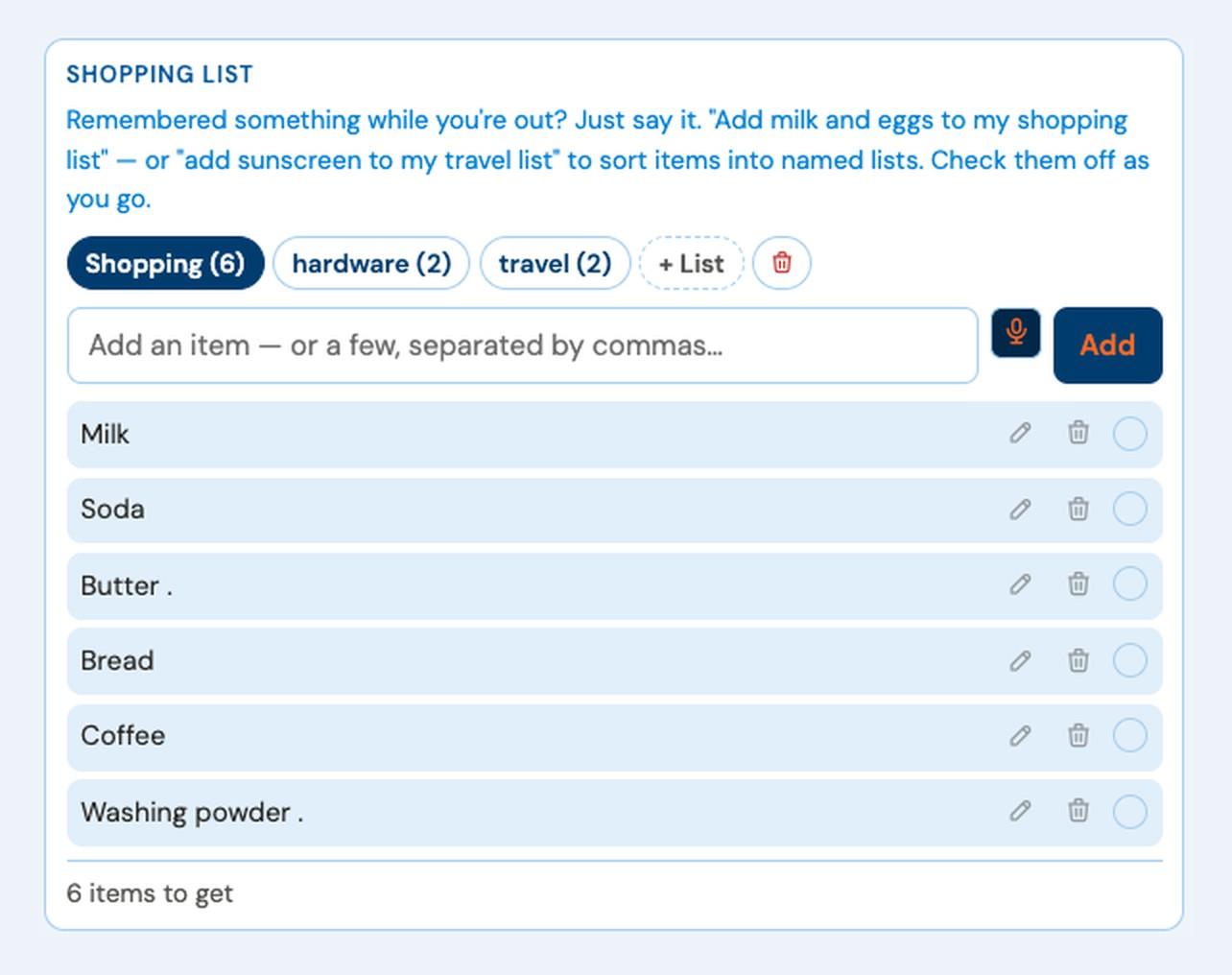
Say it as you close the fridge — add butter to my shopping list — and it’s there. Several at once with “and”: bread and coffee and washing powder. At the shop, the list is on your phone, ticks and all.
“Add butter to my shopping list”
On the list before the fridge door shut.
“Add bread and coffee and batteries to my shopping list”
Three items, one breath.
Named lists
Not just groceries. Any list you name.
Shopping.Hardware.Travel.
Say the list and the items go there — travel, hardware, the bach. Name one that doesn’t exist yet and it’s created on the spot, with the items already in it. The list name stays out of the item.
Switching lists is a tap. Whatever you’re standing in front of — the pantry, the timber rack, the packing pile — the right list is one word away.
“Add sunscreen and a beach towel to my travel list”
The list didn’t exist a second ago. Now it does, with both items in it.
One shopping list on the free plan. Premium adds unlimited named lists.
Ticking off
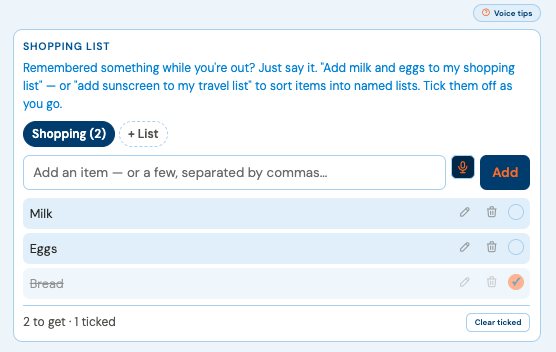
Check them off as you go.
A ticked item stays on the list, struck through, so you can see what you’ve already got. The count line reads N to get · N done, and Clear completed sweeps the finished ones when you’re back at the car — and tells you how many it cleared. Nothing unticked is ever cleared.
It runs in the browser on iPhone or Android. Add it to your Home Screen and it opens in one tap, the same list on every screen.
I once drove back to the same shop three times in an afternoon. The list was on the bench at home, doing nothing.
— Dave Rees, Founder. From boatbuilder, to business owner, to Founder.
How it works
How to use a shopping list app so nothing gets forgotten
Say it at the moment you notice.That’s the entire discipline.
Batch with “and.”The whole pantry gap in one sentence.
Tick as you shop.Done items strike through; what’s left is what’s left.
One you can add to in a second, wherever you notice something has run out. Speaking beats typing at the fridge door, and a list you can tick at the shop beats a note you can’t find.
Is there a free shopping list app?
VoiceFirstPlanner is free to start: one shopping list on the free plan, and Premium adds unlimited named lists.
Can I add several items at once?
Yes. Join them with “and” — bread and coffee and washing powder — and all three land on the list.
Does it work on iPhone and Android?
Yes, in the browser, with nothing to install. Add it to your Home Screen for one-tap opening.
Never stand in aisle three trying to remember again.
Free account. No card, no clock. Your shopping list sits beside your daily planner.